




01
Make it your event.
Create an event in the iPhone app. Add a cover, choose your camera style, set the photo limit and pick when the album reveals.
Your event, your way.✦A SHARED CAMERA. A LITTLE MAGIC.
Turn your event into a shared disposable camera. Your people take the photos. Occur brings them all together.
Create on iPhone. Guests join by QR, without a download.


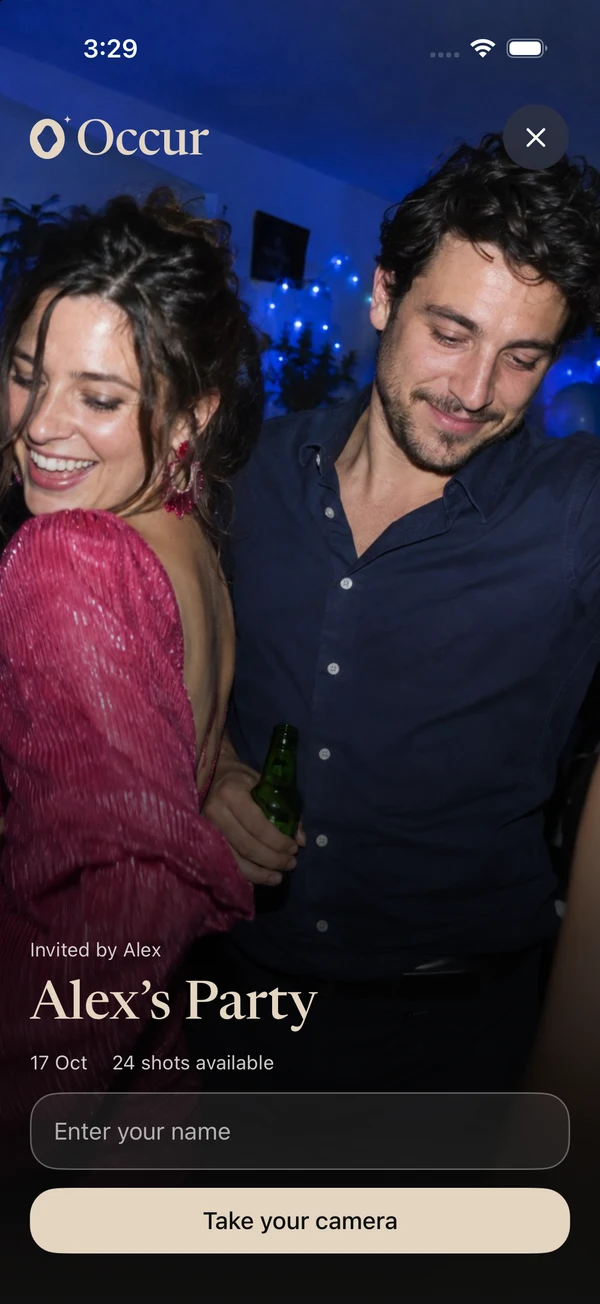
 One event. Everyone’s perspective.Join with a QR or link.Reveal when you’re ready.
THE BEST PART? YOU WERE IN IT.
The table you weren’t sitting at. The dance you didn’t see. That look between old friends. Give everyone a camera and bring those little pieces of the day into one shared album.
A LITTLE SETUP. A LOT TO LOOK BACK ON.
Create an event in the iPhone app. Add a cover, choose your camera style, set the photo limit and pick when the album reveals.
Your event, your way.Share your QR code or invitation link. Guests enter their name and open the camera, with no app download required.
One scan. Everyone’s invited.Everyone captures a different part of the day. When the album reveals, see it all together. Save your favorites and share the memories.
All those little moments, together.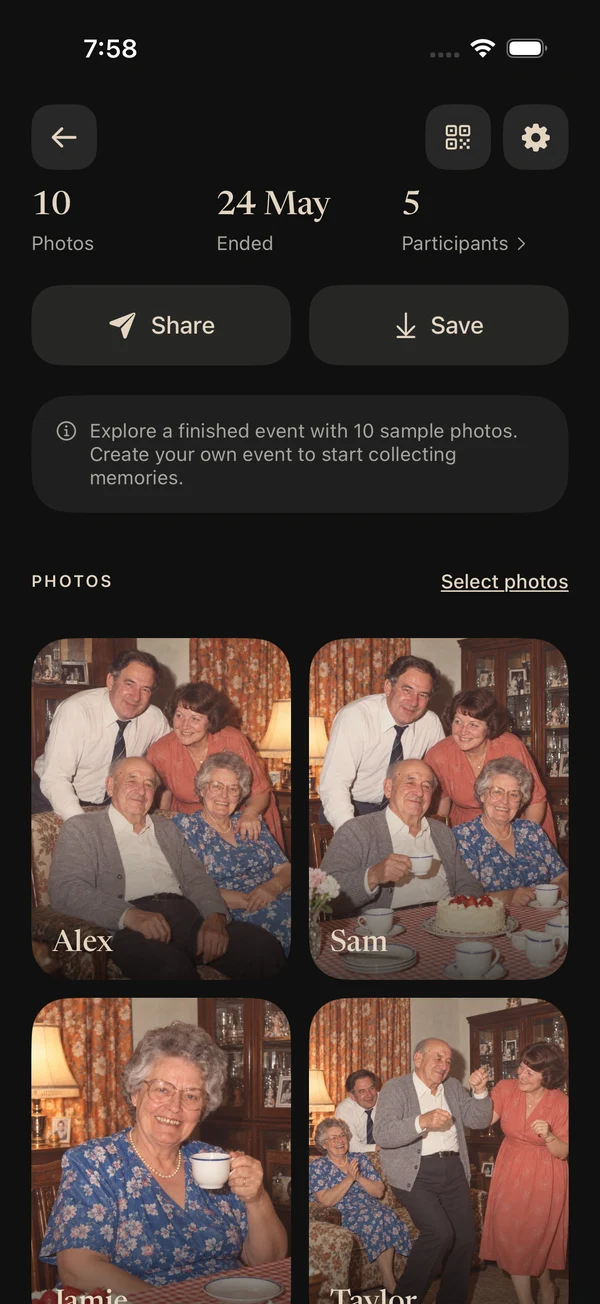

THE FUN IS IN THE FINDING OUT.
Keep the photos a surprise until after the event, or let everyone see them as they happen. You choose the reveal. Your people make the memories.
Original, Vintage or Black & White. Set the mood while keeping the original photos.
Choose an instant or delayed reveal. Make opening the album part of the experience.
Let guests enjoy the gallery together or keep the event photos visible only to you.
A real screen from the Occur app, filled with our sample event.
SAME MOMENT. YOUR MOOD.
From true-to-life color to a little nostalgia. Choose the camera style that belongs at your event.
Illustrative style preview. Original photos are preserved.
 OCCUROriginal
WHEREVER YOUR PEOPLE COME TOGETHER.

The happy tears. The table jokes. The last ones dancing. Collect the side of your wedding only your guests can see.
Make your next event an Occur eventGOOD TO KNOW.
Occur is a shared disposable camera for events. The host creates an event in the iPhone app and shares an invitation link or QR code. Guests take photos with the event camera, and those photos come together in one album.
No. Guests can open your invitation, enter their name and start taking photos without installing the full app. On supported iPhones, Apple can open the App Clip. Guests can also join in their browser, including on Android.
The full app is where you create and manage your events, choose camera and reveal settings, and keep your event library. Sign in to your account to access it. Guests only need the invitation to join an event.
You choose when you set up the event. Reveal photos as they are taken, or keep them hidden until after the event with an optional additional delay. You can also choose whether guests can see the gallery or only the host can.
Yes. Once photos are revealed and visible to you, you can save them and use your device’s share sheet. The chosen camera style is applied when you view or export photos, while originals are preserved.
You need a connection to join an event. After joining, captured photos are saved on the device before being uploaded. Pending photos upload when a connection returns. Keep the browser or App Clip open to finish those uploads.
Available event options and their prices are shown in the iPhone app before you confirm. Choose the option that fits your event and the number of people joining.
Event hosts use the iPhone app. Guests on Android can join an event through its invitation link and use the camera and gallery in their browser. There is no separate Android app to install.

SOMETHING TO LOOK FORWARD TO.
A shared camera for the days you’ll want back.
Coming soon to theApp StoreOur iPhone app is getting ready for its public debut.
Invited to an event? Open the link your host shared with you.